A Video Sales Letter Template You Can Fill In for SaaS
A fill-in script that gives each of seven sections one job.
A video sales letter for SaaS needs more than a product pitch and a button. It needs a sequence in which each section answers the buyer’s next question. This fill-in template follows that sequence, from recognition to action. The blanks are not prompts to get creative. Each one has a specific persuasive job.
Why a VSL is structurally different from other SaaS videos
Green Frog Labs distinguishes video types by their purpose. Explainers educate, demos walk through features, and brand videos shape perception. A VSL aims at one action by the end. That purpose changes the script’s structure, because explaining a product is not the same as giving someone enough reason to act.
SaaS has a useful advantage here. Its interface can supply on-screen evidence, rather than leaving the viewer to take a claim on trust. Shootsta’s B2B SaaS guide also describes how people who never speak to a rep take part in buying. A champion can forward the video to the CFO, CTO, and security lead, so the argument has to work without a salesperson filling the gaps.
Why each section of the script has a specific persuasive job, not a general one
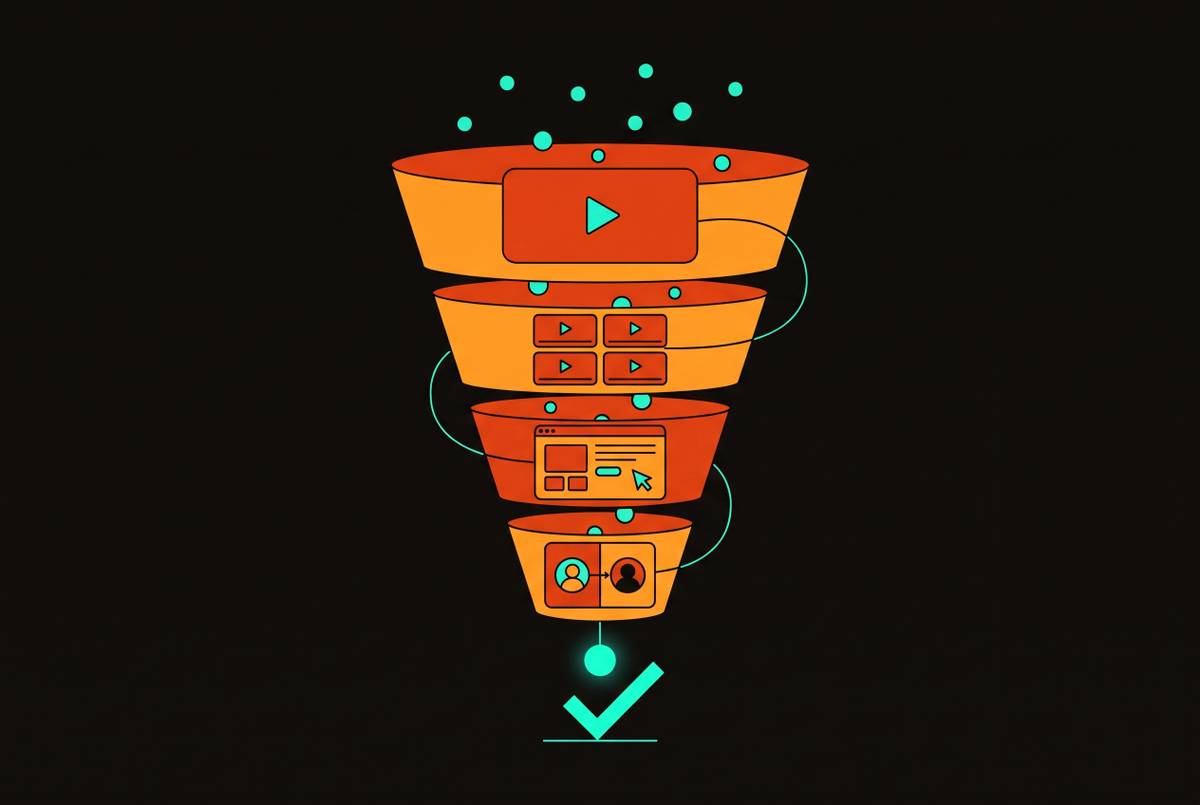
A strong product cannot rescue a missed hook. The viewer leaves before they learn what the product does. The hook must therefore establish recognition before agitation builds urgency, credibility earns attention, and the mechanism explains why this approach works. Proof then supports that explanation, the offer completes the value picture, and the close removes uncertainty about acting.
Green Frog Labs quotes Russell Brunson on the logic. “Every section answers the question the viewer is asking in their head at that exact moment. Miss one, and they leave.” The blanks below hold the details about the product that answer those questions, including the audience’s words, the workflow, and the evidence. They are not interchangeable writing prompts. The persuasive logic transfers between products, but the details that make it convincing do not.
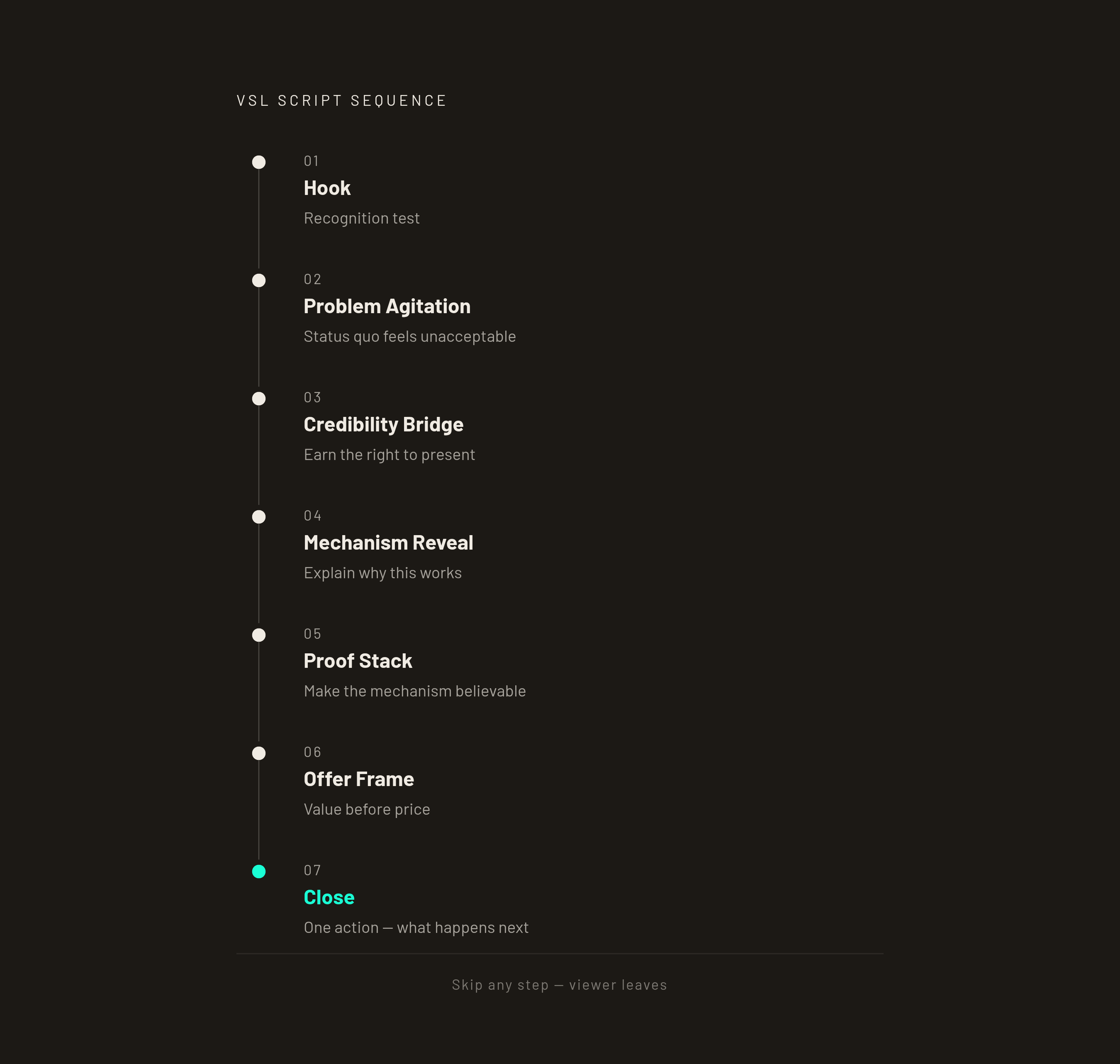
Section 1 of the template: the hook as a recognition test, not a teaser
The hook tells the right buyer that this video is for them. It does not need a company introduction. Green Frog Labs reports that problem-first hooks won in most of its VSL A/B tests, which makes them a strong choice when a claim-based ad has already made the promise. Another bold claim repeats the pitch.
The fill-in line is “If you [specific situation the ICP is living], the next few minutes will show you [specific promised outcome] — even if [the objection they walked in with].” Use the buyer’s own words for that situation, taken from calls, reviews, or support tickets. Keep the objection short so it backs up the promise without starting a separate argument.
Specificity does not mean naming a broad job category. For cold outbound, Shootsta’s guide points to triggers at a company, such as a funding announcement, executive hire, or product launch. Name the situation the buyer recognizes.
Section 2 of the template: problem agitation that makes the status quo feel unacceptable
Recognition gives the viewer a reason to listen. Agitation gives them a reason to think about changing. The buyer already knows the workaround exists, so saying again that it is a hassle adds little. This section needs to name its cost in time, competitive disadvantage, or revenue leakage, using a consequence the buyer has already felt.
The fill-in line is “Every [time unit] you spend on [painful workaround], you are [specific cost] — and [the compounding consequence if nothing changes].” Pull that consequence from customer calls, churn interviews, or support logs. Keep this section brief and operational. Its job is to make the status quo look expensive. A viewer who does not recognize the cost may leave, which helps keep those who are a good fit.
Section 3 of the template: the credibility bridge that earns the right to present the solution
Before the solution appears, a brief credibility bridge gives the viewer a reason to trust its explanation. A live dashboard screenshot, a beta-user testimonial, or a before-and-after comparison can establish that the presenter understands the problem and has something concrete to show.
Use this fill-in pattern. “[Specific type of company] went from [before state] to [after state] with [product] — here is what that looked like inside the product.” Fill it with a specific outcome and a visual of the product doing the work. If the customer is confidential, describe the customer type without naming them.
Awards and years in business do a different job. They describe the company, but they do not demonstrate that its approach addresses this buyer’s problem. Keep the bridge focused on earning the right to explain the solution, then move into that explanation.
Section 4 of the template: the mechanism reveal that separates this product from every alternative the buyer has already tried
The mechanism explains why the result happens. It is not a list of available features. A buyer who has already tried other tools needs to understand what changes in the workflow and why that change addresses what the previous approach missed. Without that link, the product sounds like another version of something familiar.
The fill-in pattern is “[Mechanism part one], so [benefit]. [Mechanism part two], so [benefit]. [Mechanism part three], so [benefit]. Most alternatives focus on [inferior or incomplete approach]. This approach focuses on [distinct mechanism], which is why the result is easier to repeat.”
The contrast must describe a genuine difference. Explain the incomplete approach without naming or disparaging anyone. Then use a brief walkthrough to show what the buyer does and what happens next. The blank needs the product’s actual mechanism translated into operational terms.
Section 5 of the template: the proof stack that makes the mechanism believable
Does it work for a company like theirs? “Great product, very helpful” says little about what changed, while a before-and-after result gives the viewer something to assess.
The fill-in pattern is “[Customer type] was dealing with [specific before state]. After [timeframe], they [specific measurable outcome]. Here is what that looked like.” Complete that last sentence on screen with the relevant reporting view, activation milestone, or dashboard state. Showing the result inside the product supports the claim in a way that an abstract transformation statement does not.
Three specific examples beat ten vague endorsements. Use different customer types, use cases, or sizes where there is evidence to back them up, and include an example that addresses the viewer’s most common worry about fit. That might be company size, industry, or stack. This answers the objection that the approach worked elsewhere but will not work here.
Section 6 of the template: the offer frame that presents value before price
Proof establishes that the approach can work. The offer explains what this buyer will get. Giving the price before that picture is complete asks the viewer to judge the cost before they know what they will get.
The fill-in line is “When you [CTA], you get [primary outcome], [secondary outcome], and [the specific thing that makes this different from buying elsewhere]. That means [the net result in the buyer’s operational terms].” Include the first meaningful milestone with “Within [timeframe], you will have [specific state].” Use an outcome.
This is also where actual risk-reversal terms belong. The pattern is “If [specific condition] doesn’t happen in [timeframe], [specific remedy].” Fill it with the real trial terms, guarantee, or no-setup-cost promise, if offered. “Risk-free” is not a substitute for explaining the condition and remedy.
Section 7 of the template: the close that names one action and explains exactly what happens next
The close removes uncertainty about the next step. It should not start selling from scratch. Use the pattern “To start, [single specific action]. You will get [immediate next step], then [what happens after that action]. Do that now while the problem is clear and the proof is fresh.”
A specific invitation such as “Start your 14-day free trial” tells the viewer more than “Get started,” provided those are the actual terms. If the viewer is a champion who needs committee approval, make the next step useful to that internal process.
Urgency should come from the ongoing cost of delay. Manufactured scarcity gives a B2B buyer a reason to distrust the offer. If the close has to persuade the viewer all over again, fix the script earlier, where the question went unanswered.
Why script quality determines conversion more than production quality
Production cannot fix a missing persuasive step. Even a video that looks polished leaves the buyer wondering why this product is different if the mechanism is unclear. Validate the script in a slide-based or screen-recorded version before committing to full production. Test whether the hook creates recognition, the mechanism explains the difference, and the close gives one clear action.
To test the framing first, use 30–90-second clips on LinkedIn or YouTube Shorts to see which problem-solution angle gets the best response. Use the winning angle in the longer script, then test whether the full sequence converts. Invest in production after that validation. A plain format also makes updates easier when the product changes, rather than tying the team to an expensive video with an outdated script.
Where VSL format and length should be decided, and why both depend on audience temperature
Choose length for the audience. Cold viewers arriving from paid ads or outbound have little context, so the script needs to land one benefit clearly and ask for one next step. Warm viewers, including trial users or retargeting audiences, may already know enough to stay for more evidence and objection-handling. Extra time is justified only when it does persuasive work.
The template defines the jobs, with runtime varying by section. For a specific audience, some work may already be done before the video starts. If a section can be removed without breaking the persuasion chain, remove it. The script responds to what this viewer still needs to understand.
Channel then shapes the format. Shootsta’s guide calls for mobile-first vertical video with burned-in captions for direct messages on LinkedIn, where video shot on a phone is good enough. Horizontal widescreen works well on landing pages, while screen recordings work well for proposal walkthroughs because the interface shows the proof.
How to fill in the template using the buyer's own language rather than internal product language
Start with buyer records. Call recordings, support tickets, churn interviews, review-site language, and LinkedIn comments supply the phrases people use before they adopt the product. Those phrases belong in the hook and the sections describing the buyer’s difficulties because viewers recognize their situation when they hear it described as it is. “Streamline your workflow” and “unlock insights” replace that specificity with language the viewer has heard everywhere.
To gather the inputs, record the exact audience description and the problem in customer words. Add the promised outcome and its timeframe, then capture the before-and-after proof with numbers. Record the actual offer terms and first milestone, the ongoing cost of inaction, and the single next step with what happens immediately afterward. These are the materials each blank needs.
The mechanism is the exception to buyer-led sourcing. It comes from the product, but its explanation still needs to describe the buyer’s workflow. For the recognition blanks, apply a blunt test. Would someone who does not know the product immediately recognize their own situation? If not, the wording is still describing the company’s view of the problem.