Repurposing a Launch Video into a Multi-Channel Asset Library
Extract maximum value from your launch video by rebuilding it into platform-specific assets.
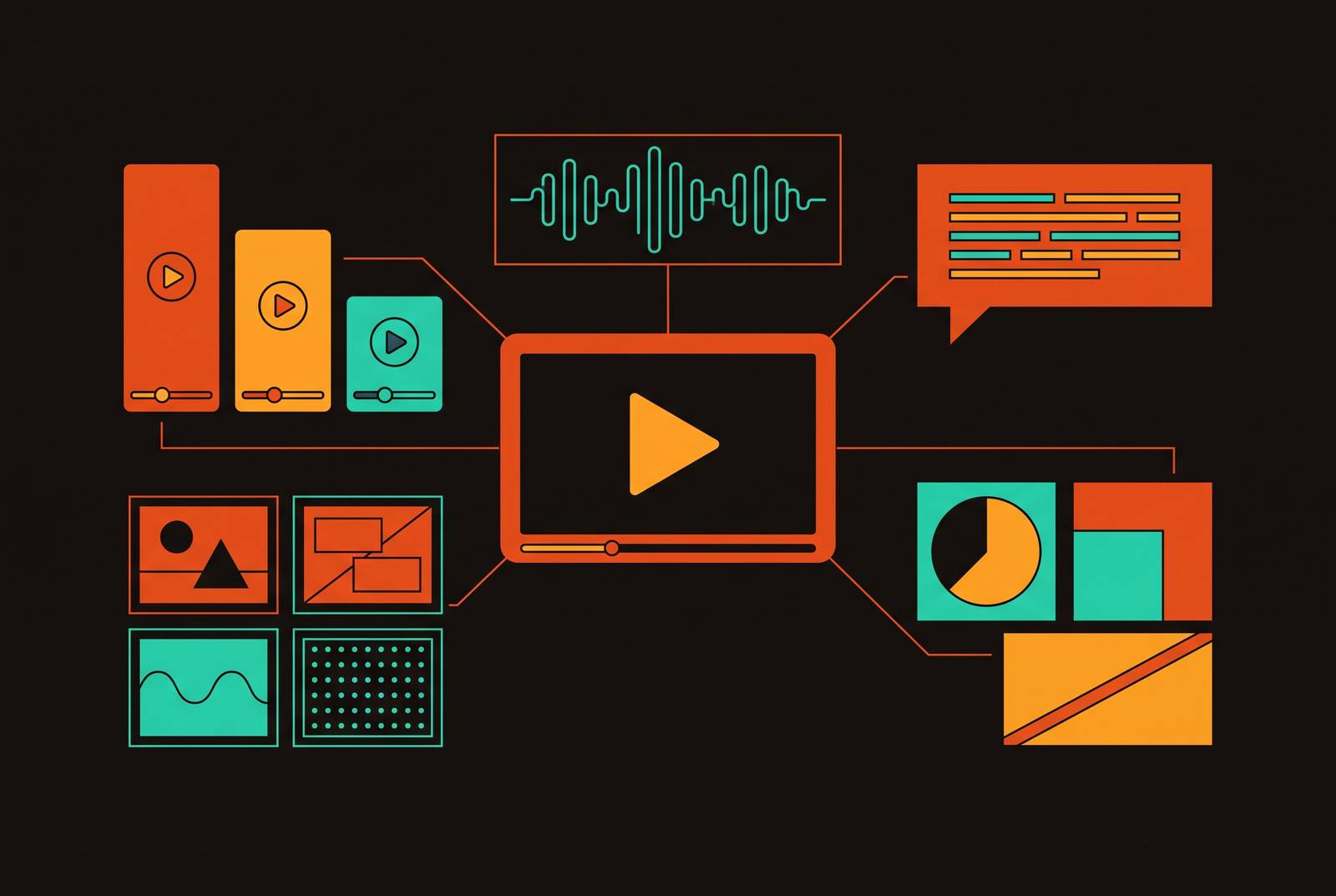
If your launch video plays just on day one and gets buried inside a folder afterward, you're throwing away cash. That video already holds its full asset set: a proven narrative, demo clips, one transcript packed with keyword-rich phrasing, plus B-roll with a proposition that cost real money to write and film. Most people mix up what actually matters here. They argue over if video pays off, yet the true missing piece lies in everything that comes after it goes live. Reposting one file in several places is not repurposing. That single mistake burns through your production money faster than anything else.
How to audit your launch video before breaking it apart
Map out the file's contents before you make a single edit. Take the three apart one by one. Skipping it to cut corners is how a crew ends up re-watching the same footage three separate times over the following month, searching for a quote they already saw twice.
Open the transcript first: each quotable phrase, each offering promise, each analogy working cleanly. Next, review the segments: sequences for the demo, close-ups, talking-head shots, graphics, and B-roll. Next, map the flow: hook, pain setup, answer drop, walkthrough, evidence, CTA.
Label every part by where it sits in the funnel. Minutes: two aimed at people who saw an ad won't suit a trial user deep in a three-week test, and one clip pushed to both is why strong footage underperforms out of place. Launch clips often blend different formats by accident: one teaser lasting 15 to 30 seconds ahead of pre-launch, another look around 60 to 90 seconds on launch day, with a demo stretching two to 5 minutes for review, with explainer parts, founder notes, and bite-sized short-form social bits in one file.
Reading the transcript, pull out its quotable spine, meaning two or maybe three lines that capture the product's differentiated edge better than anything else. They'll become quote cards, email copy, and hooks for ads down the road. Flag them today instead of looking them up again while editing.
Spot the weak parts too. If your demo feels slow, or framing stays muddy, every pulled social clip from it will feel slow too. Spot it during your audit, not while you're mid-cut. What you end up with: segments down the rows, formats across the columns. That grid sets the plan for all later work. Leave it out; repurposing then stalls out at around day seven, without fail.
Short-form social clips: selecting moments that work without the surrounding context
Short-form reaches more people than anything here, but gets the smallest attention span. This is no close call: when your hook doesn't grab people during that first moment, the whole clip fails, regardless of how great all footage looks.
The key editing test: each clip starts with its hook, says one thing, then ends once the viewer feels finished. Taking three seconds from a five-minute story and expecting it to work on its own isn't easy, since the context that let the moment hit originally is missing. That demo moment seemed satisfying three marks into a full video, but comes off random, almost unearned, three beats into the standalone clip.
What each platform suggests varies, so use that instead of guessing. Instagram Reels allow clips up to 90 seconds, though shorter formats often perform well. TikTok favors concise videos, with many users engaging most with shorter clips. YouTube Shorts went from a 60-second limit to 3 starting in October 2024. On LinkedIn, the one outlier, LinkedIn allows extended video lengths for all users, so explainer-style clips work as viable options there but not on other platforms.
Frame size belongs in planning, not something you bolt on later, and bolting it on later is among the most frequent errors here. When you export, create two or three base files: Export videos in platform-specific aspect ratios: vertical for short-form social clips, horizontal for long-form, and square or portrait for other placements. Handling the crop once during export keeps you from doing each clip over again with the clock running.
Captions are never optional. Most clips across social video play in mute, so each caption becomes the words, not an overlay above them. Post where your customers are, ignoring platform hype: B2B audiences often engage more on professional platforms, so put that clip where people spend time scrolling rather than where it seems nicest. Think of the clip as a teaser. Each cut exists only to send viewers to your page.
The transcript as an SEO and AI-search asset
They can't actually watch video. Because they can scan a transcript, it becomes the single most underused thing in any launch video's whole output. Most groups either bin it, or paste it in unedited on the page, which comes close to binning it.
Treat it like raw material, never a complete page. Drop any filler, restructure the wording for the page, and use subheadings built around real queries, not the video's original labels. Your keyword plus search-intent effort lives in the page built out of the transcript, never the video file. Crawlers still can't watch any video, however great it is, so a well structured post earns visibility its page won't.
AI search is a newer channel to optimize for intentionally. While generating responses for broad industry queries, apps including Perplexity plus Google Overviews rely on structured, well-attributed, expert-voice material. The transcript on a crawlable page makes it more likely your product's narrative shows inside generated answers, rather than the competitor's take filling that place.
Drop VideoObject schema markup onto the page carrying the clip to help search engines display video details in results.
And the transcript keeps pulling its weight long after the blog post wraps up. It provides the graphic cards' text, the email summaries, and the LinkedIn carousel's content. Every later piece can pull from what you already have, so no one's staring at an empty page.
Email: using video to lift click-through without actually embedding it
Most versions of Outlook, plus Gmail, still won't play inline HTML5 video. Put the file in and many recipients end up with a dead box, not a video. Actually, there's no choice at all: skip embedding the video outright.
A better approach uses a picture that behaves as video: take a static thumbnail styled using an overlay with a play-button, or grab an animated GIF pulled from the demo's most visually bold few seconds, with both linking toward a landing page that is fast-loading. Results improve without playback, since that thumbnail carries the persuading rather than the tap.
Discipline your GIF file weight. For deliverability on phones, stay under 500 KB, with 1 MB as a practical ceiling. Once you go beyond that, slower loading drags down the precise tap your message is chasing, and that knocks the whole reason for picking a GIF instead of a static picture right out of play.
Three formats fit nearly all contexts. A static thumbnail featuring a play-button overlay, an animated GIF pulled from one demo moment, plus a plain-text teaser quoting your video's sharpest instant alongside a "watch now" call-to-action. Don't just pick whichever approach is easiest for you. Base your choice on that audience's mood: a new lead, an active trial user, or a re-engagement push.
Paid advertising: adapting the launch video's core argument for cold audiences
They came to the video on their own. But someone seeing an ad didn't choose it, so those first three seconds must accomplish things that original launch video had no reason to handle. Dropping your launch video into ads unedited is an easy way to waste money.
You don't need to film anything new. Film a new beginning, or splice one in, that puts the viewer's pain point first rather than the product's pitch. The original video's center usually works, because your demo plus differentiation stay the same. Swap to a CTA tied to the campaign's target, then the ad can run. You can run video on TikTok, Instagram, Facebook plus YouTube, even as rules change annually, since format-native results still favor native-feeling clips over polished work. Whatever the platform, the core play is the same: a repurposed clip plus a new hook and CTA, built without another production day.
With SaaS, social ads perform strongest when zeroed toward a single issue and a single result. A launch video usually shows many parts together. Don't stuff every point into your spot. It should choose its sharpest option, focus on a single point, and let the blog post plus landing page do the work.
Budget-wise, you're barely spending anything. Your core footage has already been covered. You just need cash for the hook and platform-specific formatting, so buying another full production means your first shoot got paid for again.
Static and graphic assets: making the video's argument visible without motion
Quote cards pull directly from the transcript's quotable spine: three lines at most that pack the product's worth into one statement, rendered in sharp typography. They work well across social platforms, pushing viewers to seek that full video so they get context they lack.
Carousels convert that audit map into a swipeable set of slides: hook, pain point, fix, evidence, CTA. The argument matches what the video says, but it's paced around a finger scrolling posts, not a viewer following the sequence.
When your video holds numbers, a side-by-side chart, or any multi-step flow, one infographic renders the material so you can keep and pass it along faster than the clip, plus add it straight to that blog post built from this transcript.
Those formats also work as re-entry spots. A reader who skipped the launch email may still pause mid-scroll on a quote card a fortnight on, which lets the campaign's run continue without any new production. You don't need extra work for this. Each graphic draws on the same transcript review that produced the blog post. You run the audit once. You get those graphics as downstream output.
On-demand landing page and audio: the long-tail life of a launch video
Once launch day is over, give your video a lasting spot, based on a landing page that has a title, a brief note pulled from its transcript, plus VideoObject schema markup described above. Every social clip, thumbnail from an email, and card with a quote links to the page. Leave that out, and your launch video ends stranded the second the schedule shifts.
Webinars and demo clips still get views long after the moment ends. Views can persist after the initial campaign ends. Traffic may continue beyond the initial launch period, extending the video’s reach.
When a CEO or specialist explains what your item stands for, industry trends, or buyer experiences on video, you can usually turn just that audio into a standalone clip or show needing almost no re-editing at all. That gets to listeners who consume it on the road or at work, contexts where video won’t fit, with little expense because the raw file is ready.
Give it a check-in every 90 days. Don't start archiving that video alongside its downstream assets when launch ends, but do replace the CTA button if targets have shifted away and fix landing page text if your offering changed. Keep the landing page persistent and use it as a central home, not a single-use one-off artifact, and that's what makes scattered efforts coherent, not disconnected bits.
Building the repurposing workflow so it runs the next time without starting over
Repurposing cuts hours, though only when you document the steps rather than have them reinvented each launch. Groups that treat every launch like a fresh slate give up most of the efficiency gains immediately, before one single clip is even produced.
Treat this like steps, not some scramble. When making your launch video, think about repurposing: film additional CTA and hook variants during the shoot, and grab B-roll apart from your primary edit. Handle the audit ahead of editing, making the map while flagging its quotable spine plus problem areas first. Grab your transcript copy and begin the blog post while picking clips, because both use identical raw material and can happen together instead of one after another.
Next: trim the social clips, drop in captions, and export to the right ratios. Make static assets, quote cards, a carousel, and an infographic using that transcript output directly. Get GIF and email thumbnail. Get the landing page live, schema ready in place, then stagger the release instead of dumping it all on day one.
Done right, one single well-produced launch video gives you ten or more pieces before spending a new production cent. Those assets can be clips across two or three channels, plus a blog post, carousel, quote graphics, email asset, landing page, and one ad variant.
Each shift the video goes through has to keep that core argument intact. That differentiated idea behind the original video must come through recognizably inside your clip and the quote card plus the hook, fitting how each place talks without turning into something else.
For SaaS groups shipping layered, feature-heavy software, the whole flow doubles as a review pass. When you can't compress how something works into a clip lasting 30 seconds that new viewers track, the original video was too messy from the start. This repurposing step flags that weakness ahead of any buyer, a much less expensive place for catching it.
Write down the entire workflow, not only your final assets: which bits were clipped and why, what worked, what you dropped and why. That log makes this a production plan for the coming launch, where payoff compounds with each repeat.