Video Touchpoints in a SaaS Free Trial Onboarding Sequence
Tailor each video in your free trial to where users actually are in their journey.
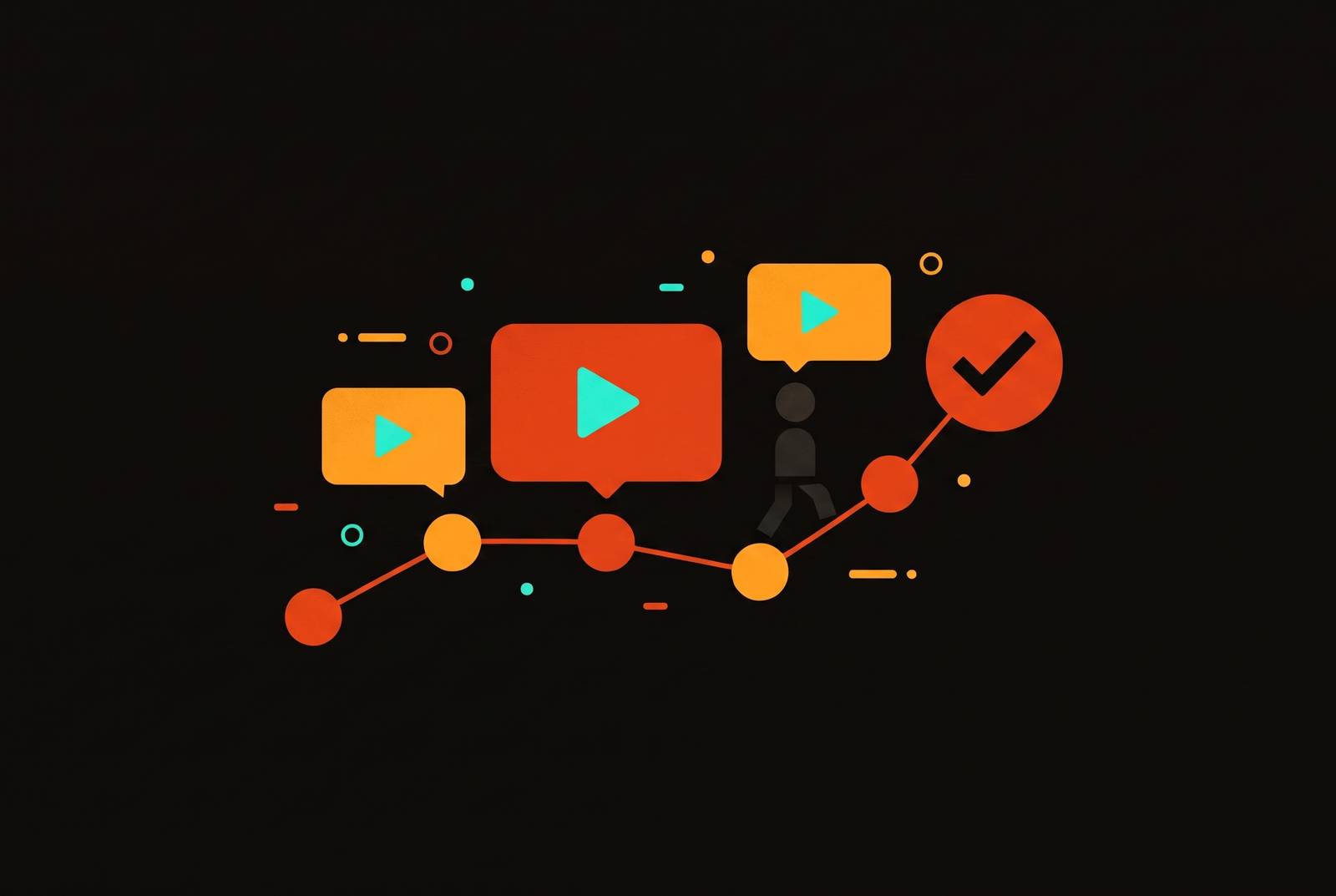
Video touchpoints in a SaaS free trial onboarding sequence work when each one serves the user’s current task. Welcome, activation, habit formation and the upgrade decision call for different formats and different messages.
Why a single explainer at signup fails the free trial sequence
The familiar setup is a welcome video embedded at signup, with nothing to follow it. That video often becomes a comprehensive product tour because it is the only chance the team has planned to explain anything. Every feature gets a turn before the user has tried the core workflow. A 6-minute walkthrough arrives when the user has no frame of reference for most of what it shows.
Cognitive overload can get in the way even when motivation is high. Someone can want the product’s promised result and still struggle to connect a long demonstration to the first thing they should click. At minute one, they need orientation, confidence and a clear next step. On day 10, they may need evidence that the product has delivered enough value to justify paying. Treating those needs as interchangeable leaves the opening video overloaded and the rest of the trial unsupported.
How the trial sequence actually breaks into stages with distinct user states
The activation milestone is the anchor for the sequence. It is the single in-product action most strongly correlated with eventual paid conversion, and the user’s position relative to it defines what help is useful. At welcome, the user has signed up but has not taken meaningful action. At activation, they are attempting the core workflow, where friction creates the highest risk of early dropout. The first stage calls for direction, while the second calls for help completing the task.
After activation, the job changes from getting started to building a habit. Returning users need ways to deepen their use of the product through relevant adjacent features. As trial expiry approaches, the upgrade decision adds an evaluative question about whether the product has earned a paid commitment. These states do not follow a fixed daily schedule. A fast-moving user can reach habit formation on day one, while someone stuck on setup may still need activation help on day five.
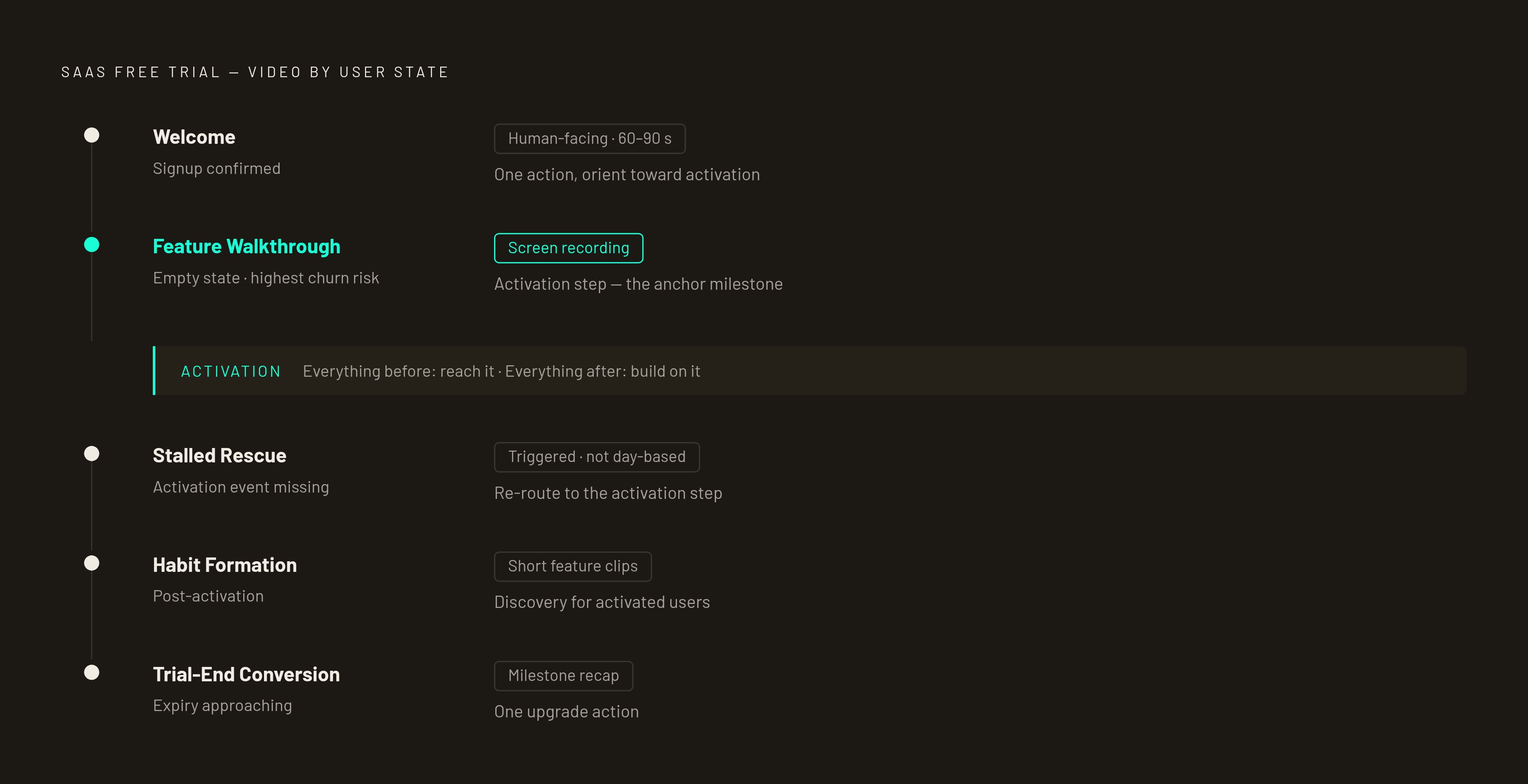
The welcome video: orienting a new user toward one action, not explaining the whole product
The welcome video should show the shortest path to the first meaningful action. It covers only that path because the user cannot yet tell which parts of the product they need to learn. A founder or product lead speaking directly to them fits this moment better than a screen recording of the full interface. A human face helps establish trust before instruction begins. The message should end with one clear call to action tied to the activation milestone.
That limit is not a reason to make the message vague. The video still needs to make the next step clear enough that the user knows what to attempt when it ends. What it should leave out is the tour of capabilities that only become useful later. Confidence comes from a manageable next move. The distinction is between welcoming someone into a workflow and presenting the product as a whole.
This makes the welcome video part of the trial’s infrastructure. Production quality can support trust, but it cannot substitute for direction. A video that looks impressive and leaves the user unsure where to start has missed its purpose.
Feature walkthrough and empty-state video: removing friction at the activation step
At activation, the user needs to see how the task works. A screen recording with voiceover is the right fit because the user now needs instruction. The user is attempting the core workflow. This is the trial’s highest-risk point for early dropout. Video earns its place by removing the uncertainty that stands between an attempt and a completed action.
A blank screen with a “Get Started” button offers a place to click but may give little sense of what the user is building. A brief recording can show the populated state and the steps needed to reach it. That gives the instruction a destination. Instead of interpreting an empty interface alone, the user can connect the next action to a concrete result.
The walkthrough should stay with that immediate workflow. Turning it into a full feature tour would overload users at the activation step just as it did at signup. The task the user is trying to finish sets the useful boundary.
The stalled-user rescue video: a targeted intervention before day-three churn
A rescue video responds to a missing activation event. That is different from sending every trial user a video because day three has arrived. A scheduled message assumes the user needs help, while a behavioral trigger spots a stall when the user has not taken the expected action. The distinction changes both the audience and the content. Someone stuck at step two needs help with step two.
The rescue should acknowledge the likely friction point, show the exact on-screen step that resolves it and ask for one action. “Likely” is an important limit here. A missing event shows an incomplete action while leaving its causes uncertain. The message should address the relevant obstacle without pretending to know more than the behavior reveals. Its purpose is to make another attempt easier.
This is also where a production bottleneck becomes costly. With Loom, a team can quickly make a screen recording for a specific stall without a dedicated video team. Precise instruction gives the rescue its value.
Habit formation videos: deepening engagement after activation without restarting the tutorial
Once users have activated, another orientation video answers a question they have already moved past. They now need to know how to use the product better. Short feature discovery clips can surface adjacent capabilities that fit their stated or observed use case.
Task-framed videos make that boundary easier to hold. Asana’s “How to post status updates” and Newsela’s “Assign Articles” name something the user can accomplish. Pipedrive uses a similar format in which a senior product marketing manager shows advanced workflows, including setting up a New Pipeline, organizing custom fields and data, and creating reporting and dashboards. The video also explains how Deals and Leads differ as a side point. A trusted internal voice supports the instruction without restarting the basics.
A user who has completed core workflow X but has not used related feature Y is a candidate for relevant discovery content. A user still stuck on activation is not. The same clip can be useful follow-up for one person and a distraction for another.
The trial-end conversion video: reinforcing value already experienced rather than reselling the product
Near trial expiry, an activated user already knows what the product does. They still need to judge whether it has worked well enough for them to pay. A conversion video should therefore recap milestones the user has actually reached. Specificity gives the upgrade request a basis. The message shifts from instruction toward a direct, human-addressed account of the value already built.
That recap should lead to one clear next action. Depending on the intended outcome, that might be upgrading, booking a walkthrough or inviting a team member. Presenting a path to commitment fits the user’s evaluative state better than replaying the demo. A re-demo suggests that the company has not paid attention to the trial. It asks the user to think again about what the product promises.
Personalization works well here because what the user has done gives the message its substance. Trial expiry can arrive with success still unproven. Someone who has not activated still needs help with the unresolved workflow.
Behavioral triggering as the delivery infrastructure the video map depends on
Product analytics events are what turn a collection of videos into a sequence. The delivery logic needs to tell apart a user who has reached an activation milestone, one who has yet to use a feature and one who still has a workflow to finish. Calendar-based delivery treats elapsed time as a substitute for progress. That is how good content reaches people who are either not ready for it or no longer need it.
Video touchpoints should be wired to those product events. Time can still be part of a condition, such as feature X not being triggered by day Y. But the missing behavior is what makes the message relevant. The date alone does not establish a need for instruction.
This logic also addresses the concern about sending too many videos. Having more videos does not mean every user needs to get every clip. Behavioral delivery narrows the audience for each message according to its purpose. The goal is less irrelevant contact.
What each video type should actually measure to know if it is working
The main measure for the welcome video is the share of viewers who go on to try the activation step. Comparing that rate for viewers and non-viewers tells more about how well the video works than counting how many people watched to the end. Watching to the end alone cannot show whether the next action was clear. A welcome video can hold attention without moving anyone forward. Its job ends in product behavior, so that is where measurement belongs.
For feature walkthroughs and rescue videos, the decisive measure is whether the user subsequently attempts the stuck step. Watch completion helps interpret the result, but it is not a verdict. A user may leave halfway through because they found the answer or because they gave up. The next product action distinguishes those possibilities. For habit-formation clips, the corresponding measure is use of the related feature, because discovery content is meant to deepen engagement after activation.
The trial-end video needs a measure of what users do after watching that matches its call to action. That means an upgrade, a booked call or a team invitation within a defined window after viewing. These are different jobs with different outcomes. Connecting watch data to product and conversion data makes it possible to identify which touchpoint helps and which attracts views without advancing the trial.
How to build this video map without a dedicated video production team
Most videos in this sequence need specificity more than polish. Feature walkthroughs and rescue clips can earn trust as plain screen recordings because they show that the team knows how to help with the task. Welcome and trial-end videos have different demands. Their human-facing messages depend more heavily on trust and tone, so they benefit most from professional production. The production budget should account for what each touchpoint needs instead of treating them all as the same kind of video.
For a team starting from scratch, the practical first move is an activation-stage walkthrough or rescue video. Those formats serve the highest-churn moment and can be produced quickly. A polished welcome video without behavioral follow-up leaves that harder problem untouched. Starting with the stuck workflow also gives the team a specific task to show and a product action to measure. That is a more workable brief than explaining the entire product.
Where professional production is useful, the brief should rest on deep product knowledge. The team needs to identify the two or three touchpoints in this trial with the highest activation impact and the format that serves each one. That turns an open-ended production commitment into a buildable roadmap. Video is a sales tool here. The investment belongs where a specific message can help a user take the next meaningful step.