B2B SaaS Marketing Video Across the HubSpot Lifecycle
Match each video to the right buyer stage to stop wasting production dollars.
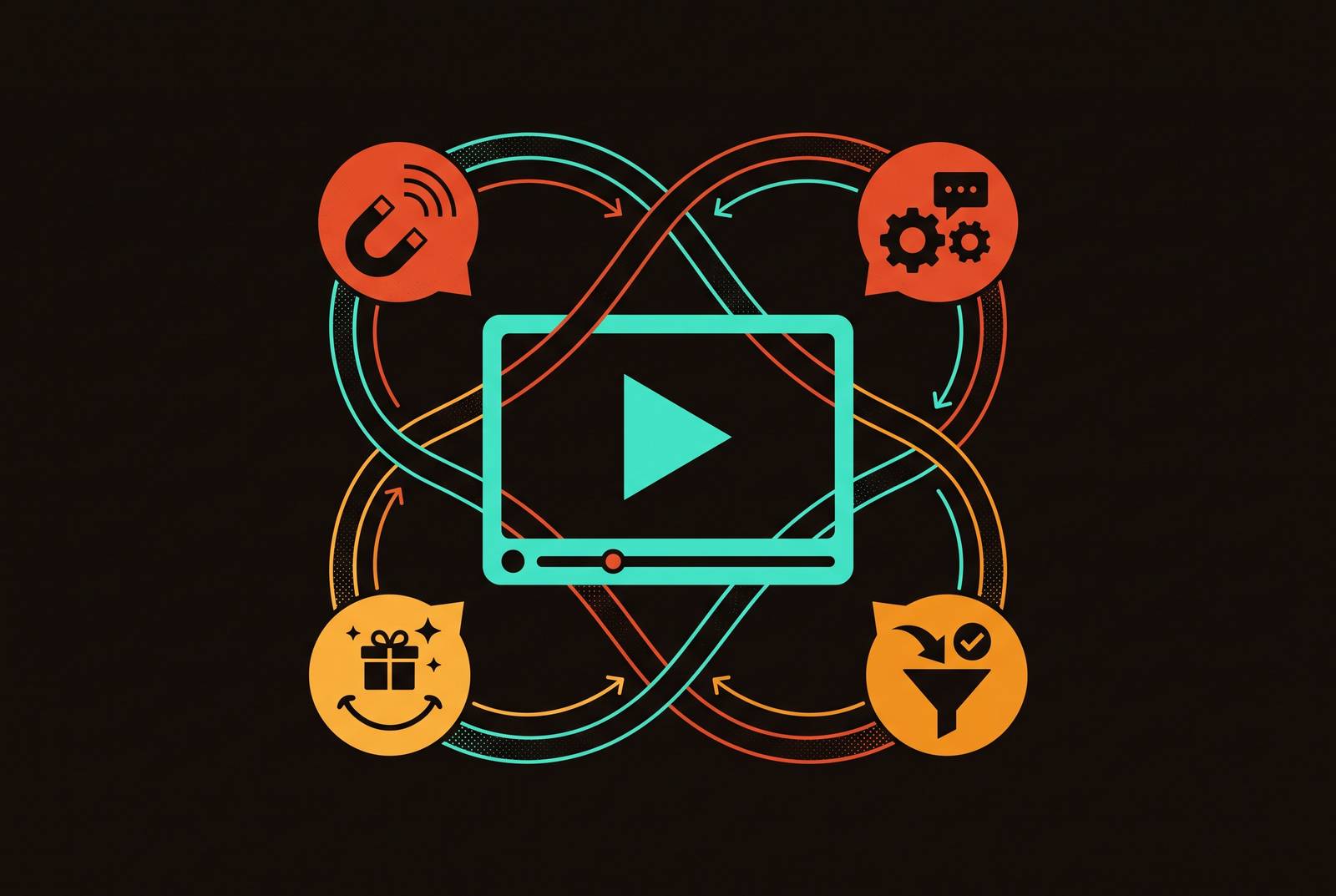
Plenty of B2B SaaS outfits assemble a clip archive instead of a true video funnel. Whether each recording carries a designated funnel position, a success measure, and a pathway into the CRM determines if the entire initiative ever recovers its cost.
Such mistakes are both predictable and preventable. Broadcasting an introductory overview to someone prepared to execute paperwork squanders the opportunity, just as delivering a complete walkthrough to an unfamiliar lead yields zero results. Neither mistake comes from a production problem. Even hiring the top editor out there won't save a deal when the real issue is deployment: matching each video to the right viewer at the proper stage of their decision.
HubSpot’s lifecycle framework starts with these eight defaults: Subscriber, Lead, MQL, SQL, Opportunity, Evangelist, Customer, plus Other. Their role goes beyond organizing CRM contacts for display. Every stage reflects a distinct mix of mindset and information needs, so video must play a different role.
The buying committee makes that point hard to miss. In Forrester's Buyers' Journey Survey, a typical B2B deal included 13 people inside the company and 9 outside voices. One generic video won't answer both a CFO's budget-risk concerns and the integration-risk questions an IT evaluator brings at that stage of the process.
Video has a real retention edge: BrightEdge found viewers can hold on to as much as 65% of a message presented through visuals, audio, and text together. But the benefit matters only if the content answers the viewer’s immediate question. Perfect recall of the wrong takeaway still wastes the opportunity.
Viewer needs by HubSpot lifecycle stage
Each lifecycle stage points to its own gap in what people know and its own emotional stance. Leads and Subscribers haven't yet realized the product solves a problem they're facing. At the MQL and SQL stage, people are weighing entire categories of solutions. Opportunities are clearing away the final doubts that keep a signature from happening. Customers must get to genuine value quickly. Evangelists want ready-made material to pass along to others.
In HubSpot's 2026 framework for lifecycle stages, documented conversion rates anchor each progression: moving contacts from Subscriber into Lead status, then advancing them to MQL, onward through SQL and Opportunity, finally reaching Customer. Each shift represents a distinct task, and a video either gets the contact past that line or it fails.
Marketing teams can use this as a simple check before a single frame is shot. Start with the stage the video is for. Then pick the metric that shows it did its job. After that, make sure HubSpot attaches the view event to the right contact. When a video cannot pass the check, it does not belong in the funnel, however good it looks.
Once assigned, the stage sets the piece’s shape, size, prompt to act, route to the audience, and production tone, polished or informal. These are not creative choices to make on their own. Once the stage is right, most of the other decisions fall into place.
Subscriber and Lead stage: video that earns attention before there is any intent to buy
Subscriber and Lead viewers need a distinct video approach because each lifecycle phase brings its own psychological and informational context. The goal here is neither capturing leads nor teaching product features, since this person has not yet recognized a problem that needs solving. Pushing a demo on them now is like giving a person the user guide for an appliance they haven't even purchased.
For this job, try 30 to 90 seconds brand explainers, animated videos, and LinkedIn clips on thought leadership.
There is a specific reason animation belongs here. Through animated visuals, crisp writing, and brisk pacing, an abstract SaaS idea becomes instantly graspable, letting a brand stand apart without walking through the whole product. Expert-led videos serve another purpose, drawing on a founder's viewpoint, a quick expert Q&A, or a note on the market. Buyers judge vendors on expertise before features ever enter the picture, and the B2B Thought Leadership Impact Report from Edelman-LinkedIn found that a majority of B2B buyers rate thought leadership above sales pitches as they assess a vendor.
How content gets shared carries the same weight as the format chosen. Keep it native to the platform instead of gating it behind a form. Watch time for LinkedIn video saw substantial year-over-year growth, and excluding YouTube from the count, LinkedIn now stands as the video marketing platform most widely used by video marketers. YouTube remains valuable as well, especially for educational material designed to be indexed and discovered via search.
Judge this stage only by reach and completion rate. Form submissions and demo asks do not count here. Because Vidyard's B2B video benchmark shows viewers finish sub-minute clips most often, this stage calls for a short format.
All of this falls apart because of two errors. Putting a lead form in front of an awareness video creates friction before any trust exists. Using an awareness slot for a product demo creates the reverse version of the same issue, while the algorithm reads both choices as poor content performance and limits distribution even further.
MQL and SQL stage: the most underbuilt part of most SaaS video libraries
Trust is won or lost during consideration, and that's also where the video libraries of most SaaS teams are nearly bare. Teams focus on awareness clips first and demos last, yet the stretch in between, where buyers actually evaluate, ends up thin or missing altogether.
At the MQL and SQL stages, prospects must identify the right type of solution for their problem and decide if this method applies. Here, the content should inform and establish trust rather than push for a sale. An independent, scenario-focused guide informs and establishes trust, whereas a rep-led presentation presumes the prospect wants to discuss pricing, despite covering similar material. The first honors the fact that prospects continue evaluating independently. The second presumes negotiations are already welcome.
Webinars do a lot of work here. B2B marketers consistently rate Webinars as highly effective, while the format creates richer engagement and Q&A in real time, plus signals such as registration, attendance, and questions, which HubSpot can use to advance lifecycle progression.
Comparison content still earns its keep, though. At the SQL stage, buyers are busy weighing vendors side by side. An honest video that shows when a product fits and when it doesn't earns credibility more quickly than one that just promotes.
None of this works unless the signal makes it into the CRM. In HubSpot, registrations, attendance length, and replay behavior can move a contact between MQL and SQL stages. Without a contact record, a view event stays out of the revenue team’s sight, even if the audience was large. At this point in the journey, embedded lead capture works especially well because viewers are weighing a decision, not merely browsing. Wistia found in its State of Video report that many viewers complete lead forms inside the player and respond to CTAs built into the video.
Opportunity stage: video that removes the final objections blocking a signed contract
Once a buyer reaches the Opportunity stage, they've settled on a category. Now the choice is which vendor to use, so the video has to strip away perceived risk instead of re-explaining the product.
Customer testimonial videos handle this directly. A real customer spelling out the problem they faced, the outcome they achieved, and the implementation experience lowers uncertainty more than any feature list can. At the decision stage, adding testimonial videos lifts conversions by 44% compared with leaving them out. Short case study videos make the point another way, shaping the proof into a structured story about one named company’s challenge and measurable result instead of a generic “our customers love us” montage. The buyer must recognize their own circumstances in the story.
The newest concept for this stage is the personalized sales video. According to Vidyard's data, rep messages containing video outperform plain text on both opens and replies. By the Opportunity phase, the rep films a brief, individualized clip that tackles a single sticking point, be it pricing, a security question, or migration doubts, and the clip doubles as a deal closer. It is no marketing piece in disguise, pretending to feel personal.
Conversion-focused pages deserve attention as well. Adding video to a landing page can lift conversions, so a quick customer quote or demo clip at the decision point can amplify all the other reasons a prospect is ready to act.
None of these formats work on the wrong audience. Sharing a testimonial video with an unengaged recipient produces only noise. Such content succeeds only if HubSpot's contact record reflects earlier engagement. Finish the stage assignment before producing a single frame.
Teams tend to think decision-stage video has to be cinematic, given how much is at stake, yet they're wrong. What buyers want at this stage is clarity and credibility, not polish. A webcam pitch from a founder, or from someone in sales, tackling a single genuine objection, can beat even a slickly produced brand video, as long as the point truly gets across.
Customer and Evangelist stage: where post-sale video becomes a revenue motion
SaaS customers rarely leave because features are missing; they leave when onboarding confuses them. This reality makes onboarding video an exceptionally powerful asset throughout the customer journey, since it targets churn's true root rather than its surface signs.
A deliberate welcome journey that offers a personal greeting, walks each customer through the workflows that matter, and triggers prompts at key milestones helps them experience real value quickly. Early value makes renewal and expansion much more likely than missing that moment. For SaaS companies, money from renewals and expansion can exceed 40% of overall revenue, so Customer and Evangelist work drives growth itself rather than serving as an afterthought to support.
Before anyone touches the software, a tailored greeting clip from an identified success manager or account lead can build that human bond. Rather than showcasing the entire platform, a sequence of brief walkthroughs, each tackling a single task, shows buyers how to accomplish the exact job they signed up for. When usage hits a milestone or renewal nears, automated expansion clips deploy via HubSpot to suggest an upgrade path or adjacent feature as the logical progression instead of an intrusive sales pitch. Then evangelist enablement clips offer satisfied users brief, shareable content to pass along to a colleague. Such word-of-mouth remains among the most affordable ways to grow, though few organizations ever set it up.
The underlying mechanism here is simple. When lifecycle stage progression reaches Customer and Evangelist, HubSpot workflows can set off automated video delivery, onboarding sequences, renewal reminders, expansion prompts; post-sale video becomes CRM-driven rather than manual CSM work.
The production-vs-distribution error that breaks otherwise well-mapped video programs
For many SaaS teams, video work gets framed as a production issue. In practice, the harder work is getting videos seen and tracked, and overlooking that can squander even a stage-by-stage library. The strongest video teams devote about 20% of the work to making assets, leaving the rest for distribution, reuse, and tracking, almost the opposite of where the typical team’s hours go.
Wistia found in its State of Video research that most teams devote more effort to production than distribution, while few reverse that balance. Leading organizations instead cut back on output to target their existing content much more carefully.
The gap is familiar: teams have lots for awareness, but almost nothing that helps buyers evaluate options or choose. The fix goes against instinct. Start with decision-stage video, because customer proof and brief case examples cost the least to make and are nearest to real revenue.
There is a real structural tension here around length. For B2B audiences, sub-minute clips deliver the strongest completion, while longer runtimes bring a steep falloff. Still, purchase teams evaluating SaaS with many moving parts need the story to have room for depth. Depth can instead come from a planned series of short videos over several sessions, without asking one long video to do everything.
Personalization needs the same kind of precision. A first name dropped inside an AI avatar script amounts to a production trick. Tailoring a call to action using viewing behavior tracked in HubSpot represents a marketing capability, a completely separate thing that just happens to share the same label. Teams ought to insist vendors honor that difference instead of allowing the pair to merge during a sales pitch.
Budgets show what is at stake. In Gartner’s CMO Spend Survey, marketing funding has stalled, and most CMOs say they lack the resources to meet the demands placed on them. When video is already standard across the competitive set, simply increasing output no longer sets a company apart. Using existing assets more deliberately at each stage does.
Wiring video events into HubSpot so the system can prove what it earned
Any stage mapping here has to be anchored in the CRM, or it will not make it past a budget review. Until a view is recorded on a contact's profile, the revenue team cannot treat it as actionable fact. Whether someone signs up for a session, watches partway through, returns to a recording later on, or answers a custom outreach clip, none of it qualifies as proof until it lands in HubSpot linked to the right contact.
This is the operating layer that supports the entire discussion. HubSpot workflows can use lifecycle stage changes to send video, while video activity can likewise push a contact into a new lifecycle stage. The relationship goes both ways. Treat MQL and SQL as buying-context markers, not mere CRM labels: if someone goes from a comparison video into a webinar signup, the next video should serve a different purpose. When an existing customer watches content tied to expansion and then visits pricing, route that signal to the CSM queue before the day ends.
Mapping all eight lifecycle stages to each clip, complete with its own metric and CRM route, yields a quantifiable, defensible, and optimizable video framework. Without that integration, even a perfectly organized collection becomes the same untracked heap of files revenue departments originally struggled with.